
Provider Enrollment Series | Updated for 2026 Standards
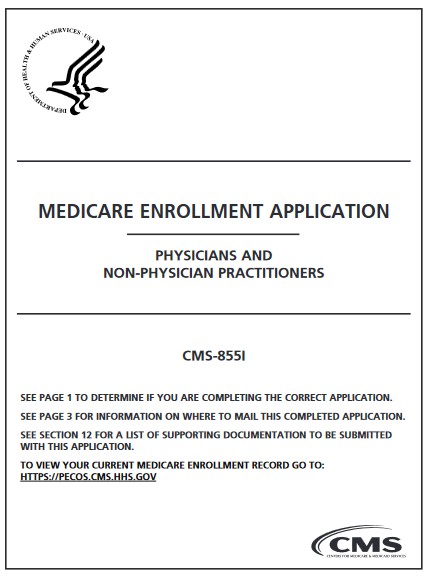
What is CMS-855I?
The CMS-855I is the official Medicare enrollment application for Physicians and Non-Physician Practitioners (NPPs) who operate as sole proprietors or want to reassign their benefits to a group practice. It is the “golden ticket” to billing Medicare Part B.
Note: If you are enrolling an entity (like a multi-specialty clinic or LLC), you will also need the CMS-855B form.
Completing the CMS-855I is often the first major hurdle for a new medical practice. Whether you are a Psychiatrist, Nurse Practitioner, or Physical Therapist, Medicare enrollment is the foundation upon which most commercial insurance contracts are built. If you aren’t in Medicare, many commercial panels won’t even look at your application.
In 2026, the process has become increasingly digitized, but the complexity remains. One wrong checkbox in Section 4 can delay your billing ability by 90 days or more. This guide breaks down the form section-by-section, compares the digital vs. paper routes, and highlights the exact pitfalls to avoid.
The Fork in the Road: PECOS vs. Paper (2026)
Before you pick up a pen, you must decide your submission method. In 2026, CMS strongly encourages the digital route, but the paper form remains a legal option for those with complex structures.
Option A: PECOS (Digital)
The Provider Enrollment, Chain, and Ownership System (PECOS) is the online portal for Medicare.
- Speed: 30 – 60 days processing.
- Validation: The system forces you to fill in required fields, reducing “incomplete application” rejections.
- Signatures: Digital e-signatures are accepted.
- Verdict: Recommended for 95% of providers.
Option B: Paper (CMS-855I)
The traditional mail-in application sent to your region’s Medicare Administrative Contractor (MAC).
- Speed: 90 – 120 days processing.
- Validation: High risk of human error (illegible handwriting).
- Signatures: Must use an original “wet” signature in blue ink.
- Verdict: Only use if you have specific legal reasons or cannot access PECOS.
Prerequisites: What You Need Before Starting
Do not attempt to fill out the 855I until you have these three items secured. Missing these will result in an immediate halt to your application.
- NPI Number (Type 1): You must have an Individual NPI. If you have an incorporated business, you may also need a Type 2 NPI. See our guide on how to apply for an NPI.
- Taxonomy Codes: Your NPI record in the NPPES Registry must match the specialty you are claiming on the 855I.
- IRS CP-575 Letter: You will need the legal tax document showing your EIN (Employer Identification Number) exactly as it is registered with the IRS.
Step-by-Step: Navigating the Critical Sections
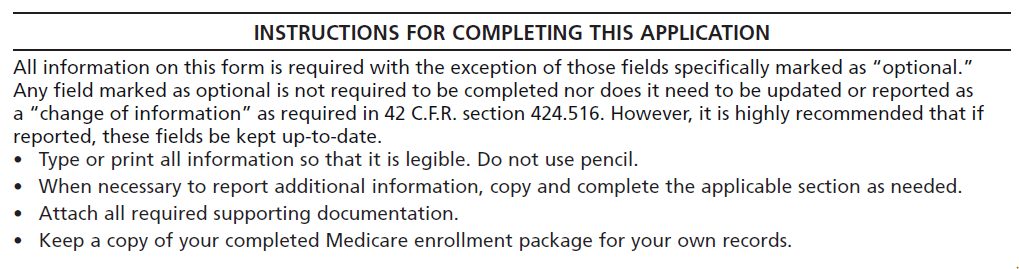
The CMS-855I is 30+ pages long, but 80% of the errors happen in these specific sections.
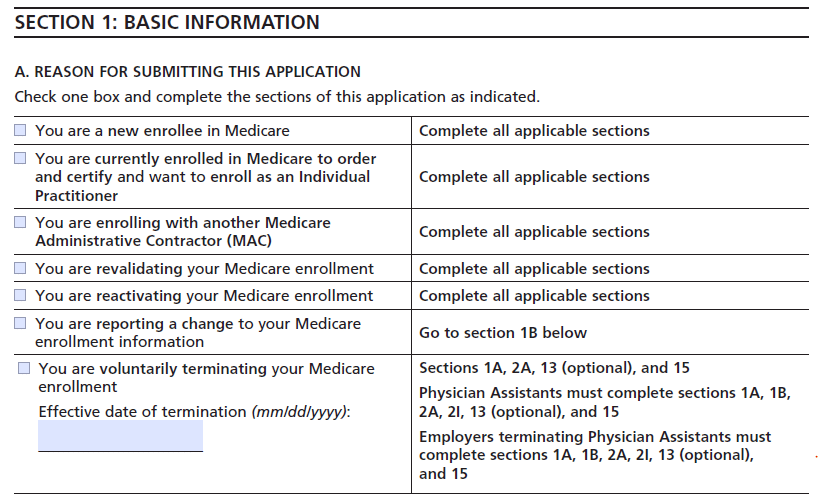
Section 1: Basic Information
This asks “Why are you here?” You must select one of the following:
- Initial Enrollment: You are new to Medicare or moving to a MAC region where you aren’t currently enrolled.
- Reactivation: You were previously enrolled, but your billing privileges were deactivated (often due to inactivity).
- Change of Information: You are moving your office or changing your name.
Section 2: Personal Identifying Information
The Trap: Providers often put their “Professional Name” here (e.g., “Bob Smith”). You MUST use your full legal name exactly as it appears on your Social Security Card (e.g., “Robert James Smith Jr.”). If the name here does not match the IRS or NPPES database 100%, the MAC will reject the file.
Section 3: Final Adverse Legal Actions
This is the “background check” section. You must disclose:
- Felony convictions.
- Suspension or revocation of a medical license.
- Exclusion from any Federal or State health program (Medicaid/Medicare).
Warning: Medicare checks the OIG Exclusion List automatically. If you fail to disclose an action, your application can be denied for “False Information,” which can lead to a 1-3 year ban from re-applying.
Section 4: Practice Location
List every location where you see patients. If you are a mobile provider (visiting patients in homes or assisted living), you must still list a “Base of Operations” (usually your home office) where records are kept. Do not list a P.O. Box as a practice location.
Section 4R: Reassignment of Benefits (Critical)
If you are joining a group practice, you generally do not want Medicare to pay you directly; you want them to pay the group. In this section, you “reassign” your benefits to the group’s Type 2 NPI. If you skip this, checks will be mailed to your house, creating a tax and accounting nightmare.
Get Free Credentialing with Medical Billing
Skip the paperwork headaches. Let us handle your Medicare enrollment for FREE when you sign up for billing.
The Forgotten Form: CMS-588 (EFT)
You cannot submit the 855I without also submitting the CMS-588 (Electronic Funds Transfer) agreement. Medicare does not cut paper checks anymore.
Requirement: You must attach a voided check or a bank confirmation letter on official bank letterhead. If the name on the bank account does not match the legal business name on the 855I exactly, the application will be rejected.
⚠️ Top 4 Reasons for 855I Rejection
- Name Mismatch: Using “Dan” instead of “Daniel” or omitting a “Jr.” suffix that appears on the SSN card.
- Missing Signatures: If submitting on paper, you must use an original “wet” signature in blue ink. Stamped signatures are invalid.
- Supporting Docs: Failing to attach the voided check or medical license copy.
- Application Fee: While most individual physicians are exempt, if you are enrolling a new facility, you must pay the 2026 fee (approx $709) via PECOS before submitting.
Frequently Asked Questions
What is the application fee for 2026?
For 2026, the Medicare application fee is approximately $709 (adjusted annually). However, individual physicians (sole proprietors) are usually exempt from this fee. It mostly applies to institutional providers and DMEs.
How long does it take to get approved?
PECOS applications are typically processed in 45-60 days. Paper applications can take 90-120 days. Timelines vary by MAC jurisdiction (e.g., Novitas vs. Palmetto). See our Credentialing Timeline Guide for more.
Do I need to revalidate?
Yes. Medicare requires providers to revalidate their enrollment every 5 years. Failure to respond to a revalidation request will result in the deactivation of your billing privileges and a stop on all payments.
Can I bill for services while pending?
Medicare allows retroactive billing up to 30 days prior to the date your application was received. Do not hold claims longer than 12 months, or they will hit the Timely Filing Limit.
What if I am denied?
You will receive a letter detailing the rejection. You usually have 30 days to submit a “Corrective Action Plan” (CAP) to fix the error. If you miss this window, you must start over from scratch.