Ever wondered how doctors can keep an eye on your health while you relax at home? Remote Patient Monitoring (RPM) makes that magic happen. In this blog, you'll discover how to start RPM at your practice, how billing works, and why it's such a game changer for patients and providers alike.
Meet Remote Patient Monitoring
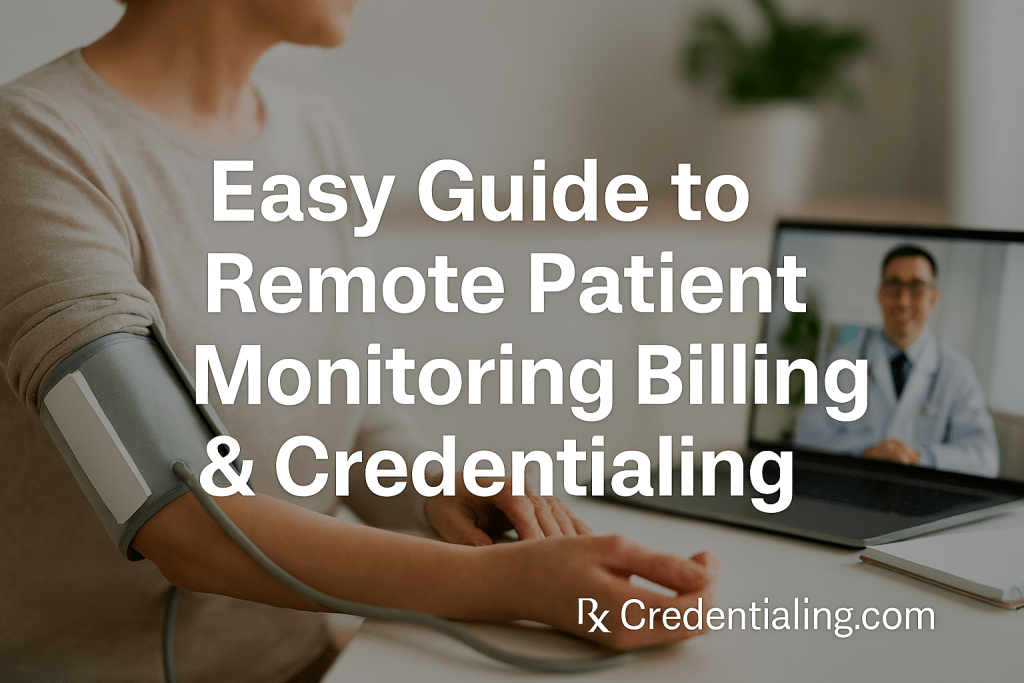
Imagine you can use a small device at home and instantly send your health numbers — like heart rate or blood pressure — to your doctor. That’s remote patient monitoring. It's part of telehealth and it's helping people stay safe and healthy. RPM devices range from scales to blood pressure cuffs to glucose monitors, all designed to feed vital data back to your medical team.
RPM is especially helpful for patients with chronic conditions such as heart disease, diabetes, or high blood pressure. Instead of waiting for a clinic appointment, the data flows directly from your home, allowing your providers to respond quickly if something looks off. Studies show that RPM can reduce hospital readmissions and help patients take charge of their health.
Step 1: Credentialing – Let’s Get You Approved
Before you can start billing for remote patient monitoring, your practice has to be credentialed. Credentialing means proving that you are a licensed, trustworthy provider. Think of it like getting a professional badge. It usually includes verifying your medical license, checking your training and education, and ensuring your malpractice insurance is in order.
You’ll need to share information such as your National Provider Identifier (NPI) number and details about your certifications. Many health plans require you to fill out a questionnaire through the Council for Affordable Quality Healthcare (CAQH) profile. This saves time because you won’t have to send the same documents to each insurance company. Credentialing can take anywhere from 30 to 90 days if you complete the forms accurately.
It’s also a good idea to look at telehealth credentialing rules. Some states require extra steps to make sure your telehealth platform is secure and that you’re following local laws. Doing this right at the start will save headaches later. If you need help with credentialing, you can explore services like insurance credentialing or medical licensing services on our website.
Step 2: Setting Up Devices and Training Your Patients
Once you’re credentialed, the fun begins. You’ll need to choose devices that suit your patient’s needs. This could include blood pressure cuffs, continuous glucose monitors, or even smart scales. Make sure the devices are FDA approved. After you pick the right tools, you must show your patients how to use them. Did you know this step is billable? That’s right! CPT code 99453 covers the one-time setup and education.
Here’s an example: Suppose Ms. Smith is starting RPM for her high blood pressure. You supply her with a blood pressure cuff that syncs automatically to your clinic’s system. You schedule a quick video call, showing her how to wrap the cuff on her arm, press the start button, and confirm that data is being sent. Once she understands, you’re done with code 99453. You’ll only use it once per patient.
As for more resources, check out our detailed post on starting your own telemedicine practice and Medicare enrollment.
Step 3: Monitoring Data – The 16‑Day Rule
The next step is the ongoing monitoring. Patients send readings through their devices—these can be daily or weekly, depending on their plan. To bill code 99454, data must be recorded for at least 16 days in a 30-day period. This may sound tricky, but most devices do the work automatically. If your patient forgets a day, they can still qualify if they reach that 16-day minimum.
Only one provider can bill 99454 per month per patient. This prevents duplicate charges. So coordinate with other providers if your patient sees multiple specialists. When it’s time to bill, include the service period dates and confirm that you have at least 16 data points on file.
Medicare guidelines caution providers not to double bill for the same devices. If multiple devices are used, 99454 still applies only once in the 30-day period. But you can use separate CPT codes for other services, like chronic care management (CCM), if you meet those requirements.
Step 4: Checking In – Codes 99457 and 99458
Now that data is coming in, your team needs to review it and interact with the patient. The first 20 minutes of care coordination and communication (per month) is billed using 99457. This covers reading the reports, contacting the patient (phone or video), adjusting medications, and any necessary care plan changes. If you go over 20 minutes, add code 99458 for each additional 20 minutes.
Here’s a scenario: Dr. Lopez has an RPM patient, Mr. Hernandez, with diabetes. He logs into the dashboard, sees Mr. Hernandez’s blood sugar levels trending high, and calls him. They discuss his diet, adjust insulin, and schedule a follow-up. Total time? 35 minutes. Dr. Lopez bills one unit of 99457 (20 minutes) and one unit of 99458 (an additional 20 minutes). It’s that simple.
Make sure to document the call in the electronic medical record (EMR) – both the time spent and the care you provided. This documentation supports your billing and helps if there’s a payer audit later. If you need help tracking time, consider using timer functions in your EHR. Also note that for Medicare patients, these services must be provided by a clinical staff member under the supervision of a physician or qualified practitioner.
Timeline: From Setup to Reimbursement
Credentialing and Enrollment
Gather and verify all professional documents, sign up on CAQH, and submit your credentials to insurance networks and Medicare.
Device Selection & Training
Choose appropriate RPM devices. Provide clear instructions to patients during setup. Bill CPT 99453 once for education and onboarding.
Monitoring Period
Collect data for at least 16 days in a 30-day period. Bill 99454 for this continuous monitoring. Ensure devices stay connected and troubleshoot any issues.
Review & Interaction
Spend at least 20 minutes reviewing data, talking to the patient, adjusting care, and documenting your work. Bill 99457 and any extra time as 99458.
Claim Submission
Compile the codes, verify all services meet Medicare requirements, and send your claim. Track payments and address any denials promptly.
Step 5: Consent and Eligibility
You must get your patient’s consent before starting RPM. They need to understand what data will be collected and how it helps their care. Write down or record their verbal consent in the patient’s chart. RPM is ideal for patients with chronic conditions or those needing high-risk care management. Confirm that the patient is an established patient (not new to your practice) before you start billing Medicare.
Also, confirm that another provider isn’t billing RPM for the same patient during the same month. Only one provider can bill 99454 for a patient. Good communication with other providers avoids duplicate billing issues.
Strategies for Successful RPM Implementation
Choose the Right Platform and Devices
Not all RPM platforms are created equal. Look for user-friendly dashboards, strong data security, and device compatibility. You want something your patients can use easily, which reduces call volume and confusion.
Engage and Educate Your Patients
Patients might be skeptical at first. Make sure they know how RPM benefits them — fewer clinic visits, faster responses, and better management of their condition. Provide clear instructions and check-ins to ensure they stay engaged.
Document Everything
Document the time spent, care delivered, and the data reviewed. Detailed notes protect you in audits and support your billing codes. Use templates in your EHR to streamline documentation.
Stay Updated on Regulations
Telehealth rules can change. For example, many of the telehealth flexibilities during the COVID‑19 public health emergency remain but may expire soon【498753998324252†L0-L18】. Stay on top of changes to avoid compliance issues. Subscribe to CMS updates or check our RCM guide for the latest information.
Use a Revenue Cycle Management Service
As you grow your RPM program, you might need help with billing and collections. Consider outsourcing to an RCM service that understands RPM intricacies. Check out our medical billing services for more details.
Key Takeaways
- Credentialing is the first step. Verify your license and credentials so you can start billing correctly.
- Setup and training (99453) is a one-time billable service when you onboard a patient.
- Monitor 16 days (99454) to bill your first recurring code. Only one practice can bill per month.
- Interact monthly (99457/99458) with your patient. Document at least 20 minutes, more if needed.
- Consent and eligibility are non-negotiable. Record verbal consent and confirm your patient is established.
- Stay compliant with regulations and changes, such as telehealth flexibilities and CMS updates.
- Use internal resources like credentialing services and A/R recovery to streamline your RPM practice.
Ready to Start Your RPM Journey?
We’re here to help you navigate the credentialing, setup, and billing maze. Reach out to our team for a consultation and learn how easy it is to launch a successful RPM program.
Book a Free ConsultationFrequently Asked Questions
Can any patient use RPM?
RPM is most often used for patients with chronic conditions like diabetes, hypertension, and heart disease. You must ensure that RPM is medically necessary and that the patient consents. Medicare requires patients to be established in your practice.
How long does it take to get credentialed?
Credentialing typically takes 30–90 days. It depends on how quickly you submit documents and whether payers need additional information.
What if a patient forgets to use the device?
To bill 99454, the patient must use the device at least 16 days in a 30-day period. Remind them through phone calls or automated messages. If they miss the target, you can’t bill that month.
Do I need special software?
Yes. You need an RPM platform that securely collects and transmits health data. Many EHR vendors offer built-in solutions.
Can I bill RPM and chronic care management (CCM) at the same time?
Yes, but be careful not to double count the same minutes. RPM and CCM time can overlap only if the services are distinct and separately identifiable.
Can a nurse bill for RPM?
Clinical staff can provide RPM services under the supervision of a physician or qualified practitioner. The billing provider must have an existing relationship with the patient.
What if a patient sees multiple specialists?
Only one provider can bill RPM codes per patient per month. Coordinate with other providers to decide who will bill for RPM.
Does RPM replace regular doctor visits?
No. RPM is meant to complement in-person care. Regular checkups are still necessary to evaluate the patient holistically.
Are there other telehealth programs besides RPM?
Yes, such as chronic care management (CCM), remote therapeutic monitoring (RTM), and behavioral health integration (BHI). Each has its own codes and rules.
Will telehealth flexibilities end soon?
Certain telehealth flexibilities are scheduled to expire in 2025 unless Congress extends them. Keep an eye on CMS updates to stay compliant.