
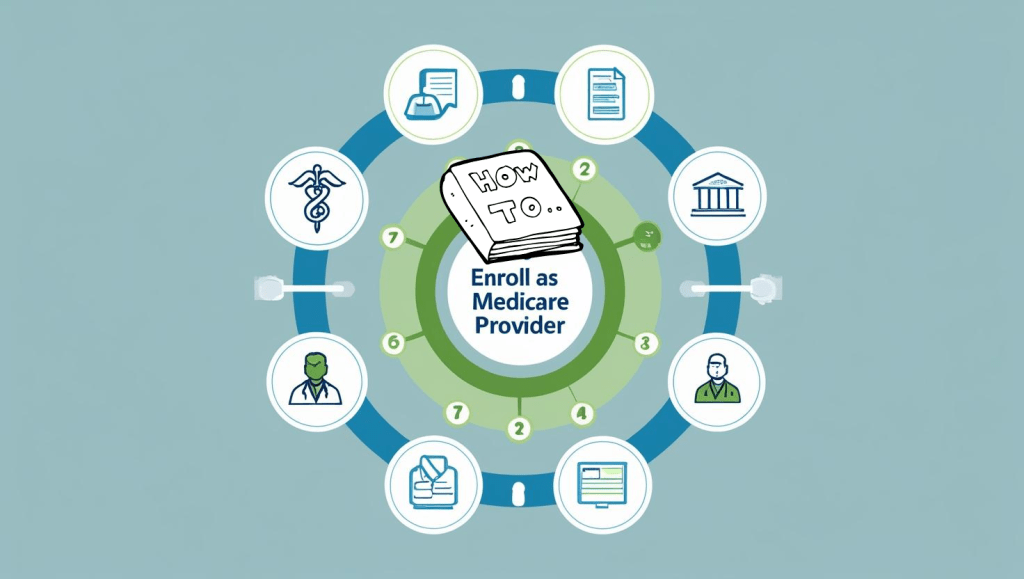
Why Enrolling as a Medicare Provider Matters
If you’re a healthcare professional or organization looking to expand your practice, enrolling as a Medicare provider is a crucial milestone.
Medicare enrollment isn’t just a bureaucratic hoop—it opens the door to serving millions of seniors and disabled individuals who rely on this federal insurance program.
But here’s the catch: the process can feel like navigating a maze. Between acronyms like PECOS and CAQH, piles of forms, and strict regulations, it’s easy to get overwhelmed.
That’s why we’ve put together this comprehensive guide to walk you through every step, from understanding the basics to avoiding common mistakes.
As a Medicare provider, you gain access to a stable reimbursement source and demonstrate your commitment to accessible care.
But beyond the business benefits, enrolling empowers you to make a bigger impact in your community. Ready to get started? Let’s dive in.
2. Understanding Medicare Provider Enrollment Basics
Medicare provider enrollment is the formal process by which a healthcare professional or organization registers with the Centers for Medicare & Medicaid Services (CMS) to provide services to Medicare beneficiaries and bill the program for reimbursement.
2.1 What Is Medicare Enrollment?
Medicare enrollment establishes your eligibility to treat Medicare patients and receive payments. Whether you’re an individual provider like a physician, therapist, or nurse practitioner—or an entity like a clinic or DME supplier—you need to complete this process before you can legally bill Medicare.
Enrollment involves verifying credentials, submitting detailed ownership information, and complying with state and federal licensing requirements.
2.2 Who Needs to Enroll?
Physicians and non-physician practitioners (NPs, PAs, PTs, etc.).
Clinics and group practices.
Laboratories.
Home health agencies and hospices.
Telemedicine providers who want to serve Medicare patients remotely.
Whether you’re solo or part of a larger organization, enrollment is mandatory if you plan to treat Medicare beneficiaries.
3. Determine Your Medicare Jurisdiction
Before you start the paperwork, it’s essential to identify your Medicare Administrative Contractor (MAC) jurisdiction. Your MAC processes your enrollment application and future Medicare claims.
Each region of the U.S. falls under a specific jurisdiction with its own rules, timelines, and points of contact.
3.1 Importance of Jurisdictions
Choosing the correct jurisdiction prevents delays or outright denials of your application. MACs are divided by states and provider types. If you submit your enrollment package to the wrong jurisdiction, it could take months to sort out.
3.2 What is Medicare Jurisdiction L (JL)?
For example, Medicare Jurisdiction L (JL) covers Delaware, Maryland, New Jersey, Pennsylvania, and Washington D.C. Providers in these areas must work with the JL MAC.
To understand what jurisdiction you fall under, check this detailed guide to avoid costly mistakes.
4. Prepare Required Documents for Enrollment
Enrollment isn’t just a form; it’s a bundle of legal and professional verifications.
Missing documents are among the top reasons applications get delayed or rejected. Before starting your application, assemble these essentials:
Business formation documents (LLC, corporation, or sole proprietorship paperwork).
Professional licenses.
Proof of malpractice insurance.
IRS documents confirming your Tax Identification Number (TIN).
Relevant certifications for specialized services.
4.1 Legal Entity and Licensure
Make sure your business structure is registered with your state’s Secretary of State office. Medicare enrollment will require proof that your legal entity exists and is in good standing.
If you plan to prescribe medications, ensure your DEA registration is up to date.
4.2 Beneficial Ownership Filing
New regulations now require providers to disclose beneficial ownership information. Check out this guide on beneficial ownership filing to stay compliant with the Corporate Transparency Act and avoid penalties.
5. Register with the National Plan & Provider Enumeration System (NPPES)
Before you can enroll in Medicare, you must have a National Provider Identifier (NPI) issued by NPPES.
The NPI is a unique 10-digit number that CMS uses to track healthcare providers across the country.
5.1 Obtaining Your NPI Number
You can apply for your NPI online at NPPES website.
Make sure your name, credentials, and business address exactly match what you will enter in your Medicare application. Any mismatch can cause delays. Keep a record of your NPI confirmation email—it’s required during PECOS enrollment.
6. Enroll Through PECOS (Provider Enrollment, Chain, and Ownership System)
PECOS is CMS’s online platform for Medicare provider enrollment.
Using PECOS instead of paper forms speeds up approval times, reduces errors, and makes it easier to track your application status. It’s the recommended method for most providers.
6.1 Step-by-Step PECOS Enrollment Process
Step 1: Create an account at PECOS. Use your NPPES login credentials if you already have them.
Step 2: Start a new enrollment application, selecting your provider type and practice location.
Step 3: Complete all personal, professional, and ownership sections. Double-check for typos—mistakes here lead to delays.
Step 4: Upload required supporting documents, including licenses and ownership information.
Step 5: Electronically sign and submit your application.
Step 6: Track your application status through your PECOS dashboard. MACs typically process electronic applications faster than paper submissions.
6.2 Paper CMS-855 Forms vs. Online PECOS
Some providers prefer the traditional CMS-855I or CMS-855B paper forms, but these can take weeks longer to process and increase the chances of rejection due to missing fields or outdated information.
PECOS is not just faster; it also alerts you in real time if you forget something.
7. Understanding CAQH and Its Role in Credentialing
CAQH (Council for Affordable Quality Healthcare) is an essential part of credentialing with commercial insurance plans after you’re enrolled in Medicare.
Many private payers require a complete CAQH profile before contracting.
7.1 Why CAQH Is Important
Think of CAQH as a central credentialing repository: you fill out your professional information once, and insurers can access it directly.
This saves time compared to submitting credentialing packets to every insurer individually. Completing and maintaining your CAQH profile reduces repetitive paperwork and speeds up acceptance into payer networks.
7.2 Mastering CAQH Credentialing
Check out this CAQH credentialing guide for detailed steps on setting up your account, keeping it current, and ensuring insurers find your profile accurate and complete.
8. How to Avoid Common Enrollment Mistakes
Mistakes during Medicare enrollment can lead to long delays, claim denials, or even fraud accusations if you accidentally submit false information. Knowing the common pitfalls will help you steer clear of them.
8.1 Top Mistakes Providers Make
Failing to sign forms electronically or submitting unsigned paper forms.
Using a business address that doesn’t match IRS or state registration records.
Entering inconsistent information across PECOS, NPPES, and CAQH profiles.
Forgetting to include beneficial ownership information or submitting outdated documentation.
8.2 How to Correct Errors
If you discover a mistake after submission, don’t panic. Contact your MAC immediately. They can often correct errors before final processing.
If your application is rejected, your MAC will send you a detailed letter explaining the issues, allowing you to fix and resubmit.
9. Credentialing with Major Insurers After Medicare Enrollment
Once you’re an approved Medicare provider, the next step is to credential with private insurers to expand your patient base.
Credentialing is not automatic; it requires submitting applications to each insurer individually or through CAQH.
9.1 Mastering UnitedHealthcare Credentialing
UnitedHealthcare is one of the largest insurers in the U.S. Their credentialing process has unique requirements, including site visits for some specialties. Learn how to navigate them in this UnitedHealthcare credentialing guide.
9.2 How to Credential with Aetna
Credentialing with Aetna requires careful documentation, CAQH updates, and sometimes direct communication with their network team. This Aetna credentialing guide breaks down each step to avoid rejection.
10. Maintaining Medicare Enrollment: Revalidation and Updates
Your enrollment doesn’t end after approval. Medicare requires regular revalidation to ensure provider information stays accurate and up to date.
10.1 Why Revalidation Matters
CMS typically requires revalidation every 3-5 years, depending on provider type.
Missing revalidation deadlines can lead to deactivation of your Medicare billing privileges, causing unpaid claims and revenue loss.
10.2 Reporting Changes to CMS
Major changes like ownership transfers, practice location moves, or provider status changes must be reported within 30 days. Update PECOS immediately to stay compliant and avoid fines or billing suspensions.
11. Special Considerations for Telemedicine Providers
Telemedicine has exploded since the COVID-19 pandemic, and Medicare now reimburses many virtual services.
But enrolling as a telemedicine provider comes with additional considerations.
11.1 Starting Your Own Telemedicine Practice
This step-by-step telemedicine guide covers licensing, telemedicine-specific billing codes, and Medicare compliance for virtual care.
11.2 Starting a Telemental Health Practice in New York
If you’re in New York, this telemental health guide walks you through unique state requirements, including OMH certification and telepsychiatry rules.
12. Billing and Compliance After Enrollment
Getting enrolled is just the beginning; submitting clean claims and staying compliant with Medicare rules ensures your revenue cycle runs smoothly.
12.1 Submitting Medicare Claims
You’ll use the Medicare Administrative Contractor’s electronic claims submission portal or third-party billing software. Clean claims require accurate CPT/HCPCS codes, supporting documentation, and adherence to Medicare’s LCD/NCD policies.
12.2 Staying Compliant with CMS Rules
Compliance doesn’t end at billing. You must:
Retain patient records for the required period.
Respond promptly to CMS audits or additional documentation requests.
Avoid billing for non-covered services without a signed Advance Beneficiary Notice (ABN).
13. Resources for Medicare Providers
Being informed is your best defense against enrollment errors or compliance violations.
13.1 External CMS Resources
Medicare Enrollment: What Changed in 2025
Medicare is more digital—but not necessarily easier. PECOS (Provider Enrollment, Chain, and Ownership System) is still the main portal, but:
PECOS now requires multifactor authentication
Revalidation timelines have shifted from 5 years to 3 years
CMS is actively auditing “ghost providers”
Need help navigating PECOS? Our Medical Licensing Services also include Medicare enrollment and revalidation.
Did You Know? Some states require a separate Medicaid application even if you’re Medicare-approved.
How Long Does Credentialing Take in 2025?
Credentialing typically takes 60 to 120 days, depending on:
| Factor | Average Delay |
|---|---|
| Incomplete CAQH | +2-4 weeks |
| State board verifications | +2 weeks |
| Payer backlog (e.g., BCBS) | +4-8 weeks |
| Missing malpractice info | +2 weeks |
Should You Outsource Credentialing?
Running a practice is hard enough. Outsourcing credentialing to experts ensures fewer denials, faster reimbursements, and peace of mind. Here’s how we support different providers:
Or explore our dedicated Corporate Services for group practices and MSOs.
Real Client Success:
“Before RxCredentialing, we were stuck in limbo with BCBS for 4 months. Their team cleaned up our CAQH profile and got us credentialed in 30 days.”
– Dr. Patel, Internal Medicine, Texas
Want similar results? See our services for small practices »
Final Thoughts: Don’t Wait to Get Credentialed
Whether you’re launching a new practice, expanding to telehealth, or simply tired of recredentialing headaches, a proactive approach to physician credentialing in 2025 will save you time and revenue.
Need help getting started? Work with RxCredentialing today »
Credentialing can quickly become overwhelming, especially if you’re also running a busy practice. Credentialing services can handle paperwork, track applications, and correct issues—saving you time and headaches.
14.1 Benefits of Credentialing Services
Faster processing thanks to expert knowledge.
Fewer errors from experience with common pitfalls.
Dedicated support for revalidation, updates, and insurance contracting.
Peace of mind knowing you’re always compliant.
Enrolling as a Medicare provider is one of the best decisions you can make to grow your practice, serve more patients, and ensure your financial stability.
While the process can feel like a mountain of paperwork, breaking it down into clear steps—from gathering documents and registering for an NPI to completing PECOS and staying compliant—makes it entirely manageable. Don’t forget to double-check your jurisdiction, keep your information consistent across platforms like CAQH, and reach out for professional help if you feel stuck.
You’re now equipped with the knowledge to become a successful Medicare provider and take your practice to the next level.
Please read below guides if your are planning to enroll with commercial payers as well.
FAQs
- How long does it take to get enrolled as a Medicare provider?
It typically takes 30-90 days, depending on your MAC’s processing speed, application completeness, and whether corrections are needed. - Can I start seeing Medicare patients before my enrollment is approved?
No. You must wait until your enrollment is approved and you receive your Medicare billing privileges. - Do I need a separate NPI for each practice location?
No, your individual NPI stays the same, but each organizational entity (e.g., LLC) needs its own NPI. - What happens if I don’t revalidate my Medicare enrollment on time?
CMS can deactivate your billing privileges, meaning denied claims and lost revenue until reactivation. - Do telemedicine providers follow a different enrollment process?
No, but you must ensure your service meets Medicare’s telehealth coverage requirements and state-specific telemedicine laws.